The Edit menu allows you to read and edit all input and output files, as well as previous specification files.
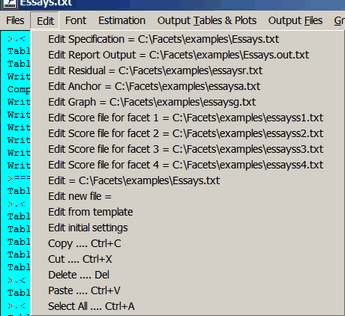
Edit = filename launches your text editor to edit the specified file. Editable files are added to this list as they are created.
Edit new file = launches your text editor with a blank file
Edit from template launches your text editor to edit the generic specification template file provided with Facets
Edit initial settings allows you to change your text editor and other initial settings
Screen editing:
Copy from screen (Ctrl+C keys) copies from the output screen
Paste to screen (Ctrl+V keys) writes to the output screen
and other short-cut keys
