Winsteps control and data files can easily be constructed from SAS .sas7bdat files. Use the Excel/RSSST menu: SAS option:
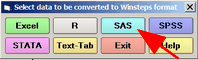
Now follow the procedure at Excel/RSSST menu
Winsteps-SAS interface modules |
Imported SAS file types |
Installation of SAS is not required |
XLRSSST= Yes wininput.exe (32-bit) SAS local provider (see above) |
.sas7bdat (version 9.3 or earlier) |
SAS local provider is required |
XLRSSST= No wininput64.exe (64-bit) |
.sas7bdat, .xpt |
Installation of R Statistics is required. Package "haven" is automatically installed by Winsteps. |
32-bit module only:
SAS file conversion requires the "SAS Local Provider", downloadable free (after free registration) from https://www.sas.com/ - more precisely from
https://support.sas.com/downloads/package.htm?pid=648
.sas7bdat files from SAS 9.4 or later may not be compatible with the SAS Local Provider. Please create SAS files with the SAS option:
options ExtendObsCounter=no;
see Usage Note 49496: The option EXTENDOBSCOUNTER=YES might cause the error
An alternative is to export your SAS file in .CSV format or to Excel.
SAS conversion problems may also be due to lack of Microsoft Data Access Components (MDAC) support in Windows, available by download free from Microsoft.
2. SAS provides an environment within which Winsteps can run. Kazuaki Uekawa suggests:
Sample instructions:
/*type the location where Winsteps is installed*/
%let win= C:\Winsteps\Winsteps;
....
option xwait xsync;
/*This run uses the whole sample*/
x "start &win &WD&scale..con &WD&scale._whole.out ifile=&WD&scale._whole.ifile pfile=&WD&scale._whole.pfile ";
....
/*item files produced by Winsteps are now read by SAS*/
.....
